
Choose voice-coaching audio behavior from the user task and ownership of each audio source. Decide whether a short cue mixes with music, ducks it or requests exclusive focus, then test interruption and resume behavior on supported devices. An audio mode setting is a request to the platform, not evidence that every app and route behaves identically.
Inventory local speech, streamed voice, exercise video, app-owned music and audio from other apps. Include the Expo SDK and native library versions in the plan. The reviewed mobile workspace declares Expo 54 dependencies; the latest documentation can describe APIs or options that require version-specific verification before use.
Give each source a purpose and stop rule
| Source | Intended behavior | Stop or resume question |
|---|---|---|
| Short coaching cue | Audible without losing task context | Resume after a call or discard? |
| App-owned exercise video | User-controlled demonstration | Pause when screen is no longer visible? |
| Other-app music | Respect platform mixing policy | Do not claim ownership of its resume |
| User stop action | Cancel the current cue | Never auto-resume that cue |
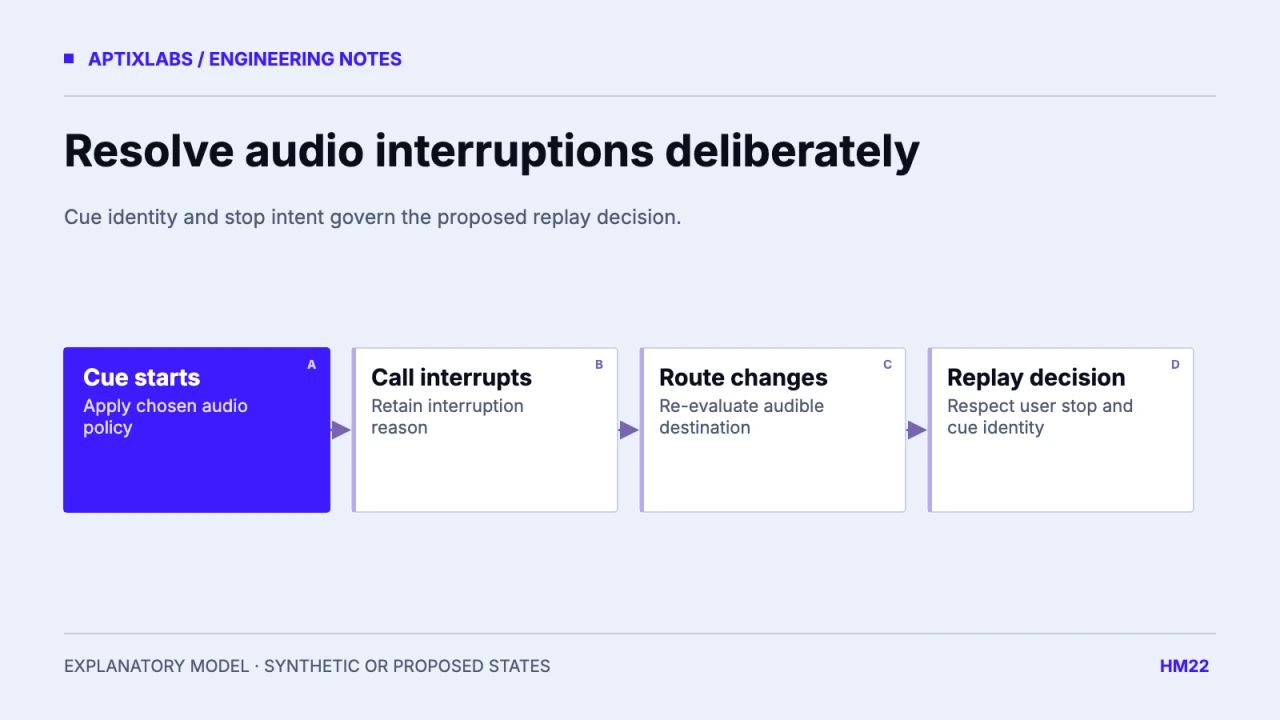
The worksheet is proposed. A cue that was interrupted by a call is not the same as a cue the user deliberately stopped. Retain an interruption reason and utterance identity so a generic “audio became available” callback cannot restart speech the user cancelled.
Verify the selected SDK’s audio-session contract
Expo’s current audio documentation describes mixing, ducking and exclusive-focus options. Its speech documentation also exposes iOS audio-session behavior. Check the installed versions and the interaction between the two modules before assuming that setting one module controls all speech and video playback.
Expo: audio mode and interruption behavior
Expo: speech options and audio-session behavior
Avoid copying a latest-version option into an older SDK without a build check. Keep one application owner for intentional audio-policy changes where possible. If several screens independently set global modes, leaving one screen can undo the policy expected by another source. Document who restores the previous mode.
Walk through a call and a route change
In an illustrative sequence, music is playing, a coaching cue begins, a call interrupts it, and a headset disconnects before the call ends. The product policy should say whether the cue is discarded, whether a visible replay control appears and whether any app-owned player resumes. Never assume it is appropriate to continue a personalized cue through the phone speaker after a route change.
Proposed cue state:
idle → preparing → speaking
speaking → interrupted(reason, cueId)
speaking → stopped_by_user
interrupted → replay_available  // only under the chosen policy
The state trace is illustrative and was not run against a phone call. Use it to define expected UI and side effects before the device test. Keep the visible replay action usable without sound, so an unavailable route does not block the workout interface.
Test native behavior and application intent separately
The reviewed UltraFit360 speech hook stops previous speech and clears speaking state through callbacks. It does not establish the complete cross-module interruption policy or behavior with every music app. Record native events and the application’s chosen response separately when testing.
Use physical devices, the release-like build and representative wired, Bluetooth and speaker routes. Include silent mode where relevant, backgrounding, rapid replay, navigation away and user cancellation during an interruption. Check for duplicate cues and orphaned audio sessions. Report exact observed combinations rather than calling the whole feature universally compatible.
No supported-device audio matrix was executed for this guide. The deliverable is an ownership worksheet and a deterministic proposed event trace. Those make a device session reviewable and reveal which behavior needs native integration work before a voice feature is promised.
Volume controls also need ownership. A user lowering coaching speech should not unexpectedly change app-owned demonstration volume unless the interface defines a shared control. Keep per-source preference and platform volume conceptually separate. During the device test, change the route and volume while a cue is preparing, then cancel it. Inspect whether the next cue respects the latest preference and whether a cancelled preparation can later seize the audio session after the person has moved on.
Bring the supported devices, installed SDK versions and a reproducible lifecycle or UI failure to scope a mobile engineering assessment.
Explore react native development
How should voice coaching interact with music and interruptions?
Choose an explicit audio policy for each source, then test calls, route changes and user stops on supported physical devices.
Should speech automatically resume whenever audio focus returns?
Only if the product policy and supported native behavior permit it. A user-stopped cue should remain stopped.