
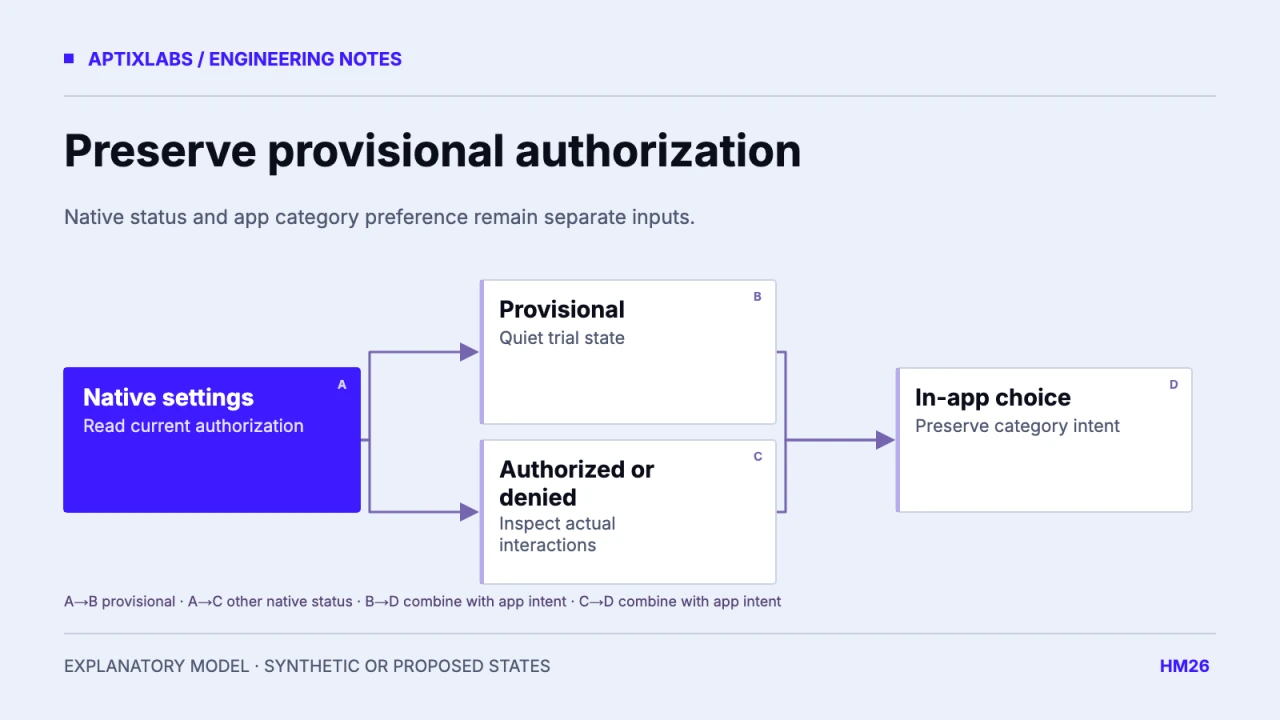
Provisional iOS notification authorization should be represented as its own state. It allows a trial delivery experience with different presentation expectations from full interruptive authorization. Keep the native authorization status and individual presentation settings rather than reducing everything to a single granted-or-denied switch.
Prerequisites include the installed notification library version, a mapping of native iOS fields and the feature’s expected presentation. A reminder that may appear quietly needs different explanatory copy from one that is expected to play a sound. Transport acceptance cannot resolve that distinction.
Preserve the native status through the adapter
Apple documents provisional notifications as quiet deliveries without sound, banner or lock-screen appearance, available in notification history. It also instructs apps to check current settings because people can change authorization and individual interactions. Use that documented distinction when designing the adapter and the settings screen.
Apple: authorization, provisional delivery and current settings
| Native authorization | Application description | Next action |
|---|---|---|
| Not determined | Permission choice available | Ask in a relevant context |
| Provisional | Quiet trial notifications | Explain current delivery and controls |
| Authorized | Check individual presentation settings | Respect alert, sound and badge choices |
| Denied | Notifications unavailable under current settings | Offer an appropriate settings route |
This table is an illustrative iOS state model, not a complete cross-platform enum or device test. Inspect any additional states exposed by the supported platform and library. Keep canAskAgain as a prompt capability where provided; it is not a substitute for the native authorization status.
Do not label a quiet trial as an audible reminder
A synthetic installation has provisional authorization, while the app’s onboarding says “Your reminders will ring.” That promise is too strong even if scheduling succeeds. Use language describing the supported delivery and let the person choose whether to change settings. The interface should remain usable when the current presentation is quiet.
The reviewed UltraFit360 permission helper maps a general status and canAskAgain into granted, prompt or blocked. That small helper is adjacent source context, not evidence that provisional settings are retained through the whole app. Trace the actual library response before deciding whether the product needs a richer adapter.
Ask for a change at a meaningful moment
Tie the explanation to a task the person selected, such as enabling a reminder category. Avoid repeating an authorization prompt whenever a screen opens. A prior decision and the current ability to prompt are distinct pieces of state. When the platform cannot present the prompt again, provide a truthful settings action instead of a button that appears broken.
Keep the in-app category choice independent. A person can want coaching reminders while system delivery remains quiet or unavailable. Do not erase that preference merely because authorization changed, and do not turn a system setting change into consent for every category.
Test return from Settings and a second installation state
Acceptance should include a provisional installation, a later settings change, a fully authorized installation with sound disabled and a denied installation. Re-read native settings after returning to the app; do not continue showing a cached onboarding decision as the current state. Verify visible copy separately from actual delivery presentation.
Use a physical test device and fictional reminder content, retaining OS, build and library version. No provisional device journey was executed for this article. The proposed matrix should become a versioned release artifact only after its observed states are captured. Keep the figure a conceptual authorization map rather than fabricating an iOS permission screen.
Record presentation capabilities with the authorization snapshot when support needs them. A broad authorized state can coexist with a disabled interaction, so copy such as “sound enabled” should come from the relevant setting rather than the broad status. Expire or refresh that snapshot after a supported settings return. A synthetic state test should verify that changing sound alone updates only the sound explanation and does not erase the person’s selected reminder category or onboarding completion.
Push notifications cross platform
Bring the supported devices, installed SDK versions and a reproducible lifecycle or UI failure to scope a mobile engineering assessment.
Explore react native development
Does provisional iOS notification authorization mean interruptive alerts are enabled?
No. Preserve the native authorization and presentation settings; provisional delivery is quiet and should not be reduced to a universal granted boolean.
Should an app erase category preferences when iOS permission changes?
No. App preferences and system presentation are separate states; reconcile delivery while retaining the chosen category settings.