
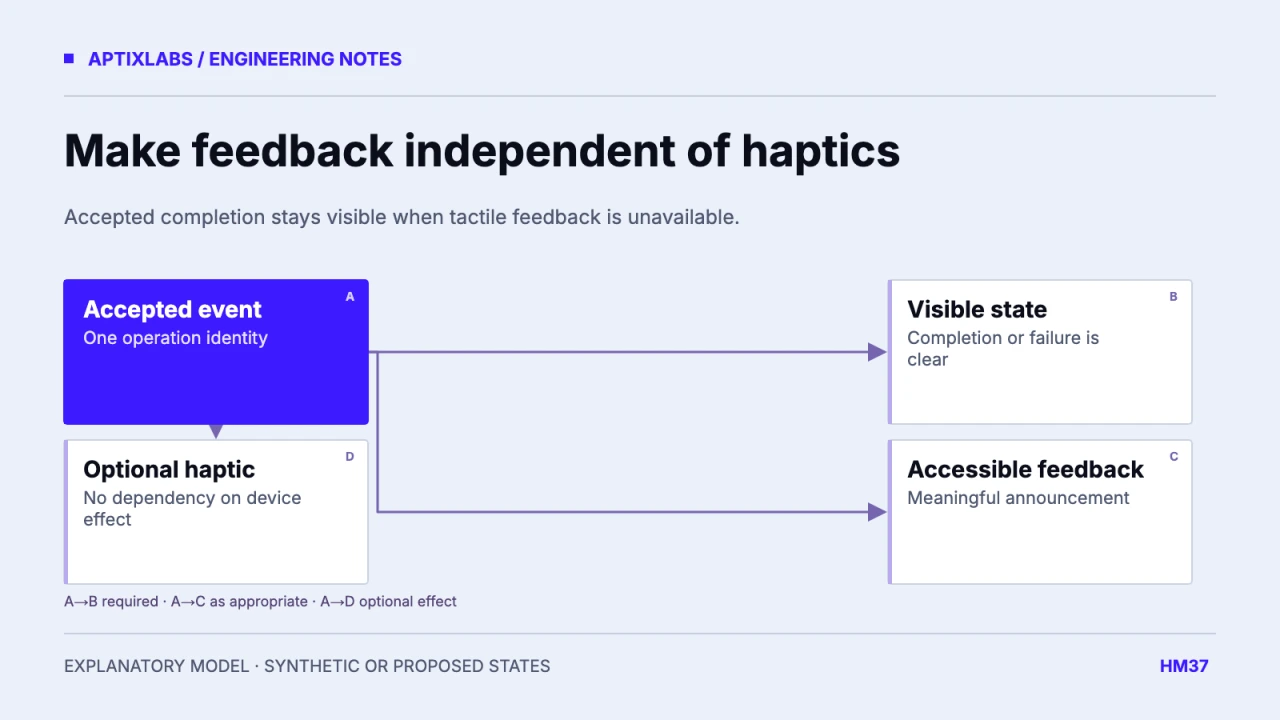
Use haptics as reinforcement for a meaningful state transition, while keeping the transition visible and accessible without them. A timer completion, accepted set log and failed save should have distinct product meanings before they have vibration patterns. The person should not need to feel a buzz to know whether an action succeeded.
Prerequisites are a small feedback-event vocabulary, the user preference and supported platform capabilities. Keep the authoritative state change separate from the feedback API. A resolved haptic promise is not proof that the person felt the device, and absent feedback should not cause the operation to run again.
Give each feedback event one meaning
| Event | Primary confirmation | Optional tactile reinforcement |
|---|---|---|
| Set accepted | Visible accepted or pending state | One deliberate confirmation |
| Timer completed | Completed label and action | One completion signal |
| Save failed | Readable error and retry | Distinct optional error feedback |
| Unsupported or disabled haptics | Same visible outcome | No tactile dependency |
The table is proposed, not measured device behavior. Avoid assigning the same strong pattern to a successful log, a countdown tick and an error. Too many signals can obscure the one event that matters while adding distraction during movement.
A press can be acknowledged before a network save finishes, but that feedback should mean “input received,” not “server accepted.” If the product needs both, make their visible states explicit. Do not let an optimistic buzz become the only evidence that a record exists on the coach portal.
Expect haptics to be unavailable in normal conditions
Expo’s haptics documentation lists iOS conditions where the Taptic Engine does nothing, including Low Power Mode, disabled settings, active camera and dictation. Check current platform and SDK guidance for supported feedback APIs. A camera-based workout flow therefore needs a complete nonhaptic experience by design.
Expo: haptic support and unavailable conditions
The reviewed UltraFit360 rest timer uses the React Native Vibration API when completing after a foreground return. That is source evidence of a vibration side effect, not proof that Expo Haptics is used there or that feedback is felt under all device conditions. Keep the APIs and acceptance evidence distinct.
Trigger feedback from the accepted transition
Use the timer or operation identity to ensure completion feedback fires once. A foreground resume handler and an interval callback may both notice expiry. They should compete for one completion transition, rather than each invoking a haptic effect independently. The same rule applies to an old save callback arriving after a new operation begins.
Proposed event ordering:
accept completion(timerId) once
→ update visible state
→ announce meaningful completion where appropriate
→ attempt optional haptic feedback
// Feedback failure does not repeat completion.
The ordering is illustrative. It separates the business state from a device effect and makes duplicate signals testable. Keep retries focused on the failed save or unavailable operation, never on repeating an already accepted state change to try to produce a vibration.
Verify the task with tactile feedback disabled
Use a physical-device matrix covering haptics off, supported low-power behavior, camera active and normal operation. Confirm completion copy, focus, screen-reader announcement and the next action. Avoid announcing every countdown second; test whether the meaningful transition is discoverable without flooding assistive output.
No haptic device test was executed for this guide. The existing pure timer fixture demonstrates one guarded completion transition, but it does not validate a tactile effect. Retain actual observed results before claiming a supported device condition. The commissioning artifact is the feedback meaning table paired with a nonhaptic task walkthrough.
A user preference should be applied when feedback is attempted, including delayed callbacks. If the person disables tactile feedback while a timer runs, its later completion should respect the new choice. Keep a separate event record if analytics needs to distinguish feedback requested from feedback observed; neither establishes perception. A focused test can disable feedback mid-countdown and verify that completion still appears once, with no new permission prompt and no dependence on the vibration callback.
Fitness app accessibility workout
Bring the supported devices, installed SDK versions and a reproducible lifecycle or UI failure to scope a mobile engineering assessment.
Explore react native development
Should a fitness app rely on haptics to communicate completion?
No. Haptics can reinforce a visible state transition, but the task must remain understandable when tactile feedback is unavailable or disabled.
Does a haptic API success prove the person felt feedback?
No. Device state, settings and support can prevent a perceived effect. Keep the task understandable through visible and accessible feedback.