
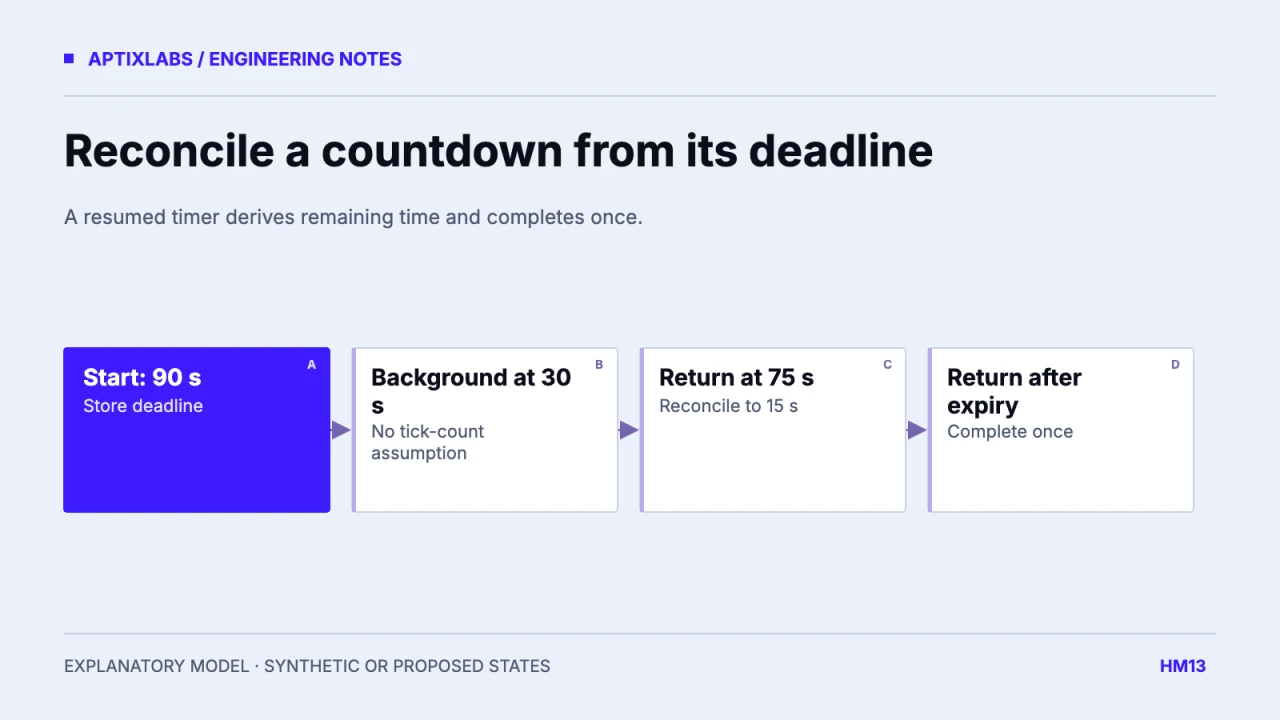
A rest timer should derive remaining time from its deadline when the app returns to the foreground. Interval callbacks can refresh the display, but counting callbacks is not a reliable record of elapsed time across app lifecycle changes. Keep completion as one state transition so a late tick and a resume handler cannot both finish the same timer.
First decide whether the timer continues while backgrounded, whether the user can pause it and whether a notification is part of the feature. Those choices determine the state model. This guide assumes a countdown that continues across backgrounding unless explicitly paused; it does not promise continuous JavaScript execution.
Store a deadline and use ticks as redraw opportunities
remainingSeconds = Math.max(
  0, Math.ceil((deadlineMs - nowMs) / 1000)
);
Set the deadline when the timer starts. On each visible refresh, calculate the difference from the current clock. React Native AppState reports foreground and background transitions, providing a place to reconcile when active again. The lifecycle event does not replay missed interval callbacks or guarantee a background scheduler.
React Native: AppState transitions
| Clock position | Remaining seconds | Completion count |
|---|---|---|
| 30 seconds after start | 60 | 0 |
| 75 seconds after start | 15 | 0 |
| 100 seconds after start | 0 | 1 |
| Repeated resume at 100 seconds | 0 | 1 |
The fixture simulates backgrounding at second 30 and returning at second 75, then another return after the deadline. It produced 15 seconds remaining and one completion after expiry. It is a pure-clock demonstration with a completion guard, not an executed React Native lifecycle or notification test.
Make pause a change to the countdown contract
When paused, retain a remaining duration and stop using the old deadline as authoritative. On resume, create a new deadline from that duration. Otherwise a user who pauses for a minute can resume into an already expired timer. Keep paused, running, completed and dismissed states explicit rather than combining several booleans without a transition rule.
A system clock change can affect a Date.now deadline. Decide what persistence and clock behavior the product requires. For a short in-process countdown, a monotonic elapsed clock may help; recovering after process death requires a persisted time strategy. Do not claim that wall-clock subtraction alone solves every reboot, manual clock change or platform suspension scenario.
Guard completion and cancel obsolete work
Use a timer identity or generation along with the completed state. A callback from an older timer must not complete a newly started one. Cancel pending delayed completion callbacks when dismissing or replacing the timer. If a notification is scheduled, cancel or reconcile it when the timer pauses, changes duration or completes in the foreground.
The reviewed UltraFit360 modal recalculates remaining time from an end-time reference on active return and can mark a timer completed after expiry. That source pattern motivates the deadline design. The isolated fixture adds its own single-completion guard; it is not proof that every callback path in the actual modal has passed a race test.
Verify the visible state and the side effect separately
Acceptance needs foreground expiry, background return before and after expiry, rapid pause-resume, timer replacement, dismissal and duplicate lifecycle events. Record visible remaining time independently from completion callback, vibration and notification counts. One correct number does not establish that a user received one useful completion signal.
No exact fictional local timer screen was verified, so the figure is a synthetic timeline instead of a fabricated app screenshot. Before release, test physical-device lifecycle behavior in the supported build and inspect accessibility announcements. Announce completion clearly while avoiding a screen reader announcement on every second.
Persisting a timer adds another lifecycle decision: should it survive navigation only, process termination or a device restart? State the supported boundary. A timer intentionally dismissed by the user must not be resurrected from stale storage on the next launch. Keep a terminal or dismissed marker with its identity if persistence is required. A cold-launch fixture should verify both an active surviving countdown and a deliberately closed countdown, rather than testing only foreground-to-background transitions.
Explore UltraFit360 on the App Store
Explore UltraFit360 on Google Play
Bring the supported devices, installed SDK versions and a reproducible lifecycle or UI failure to scope a mobile engineering assessment.
Explore react native development
How should a React Native rest timer recover after backgrounding?
Recompute remaining time from a stored deadline on resume, with a separate paused state and a single completion transition.
Does a deadline guarantee an alarm in the background?
No. Display reconciliation and background notification delivery are separate capabilities that need platform-specific testing.