
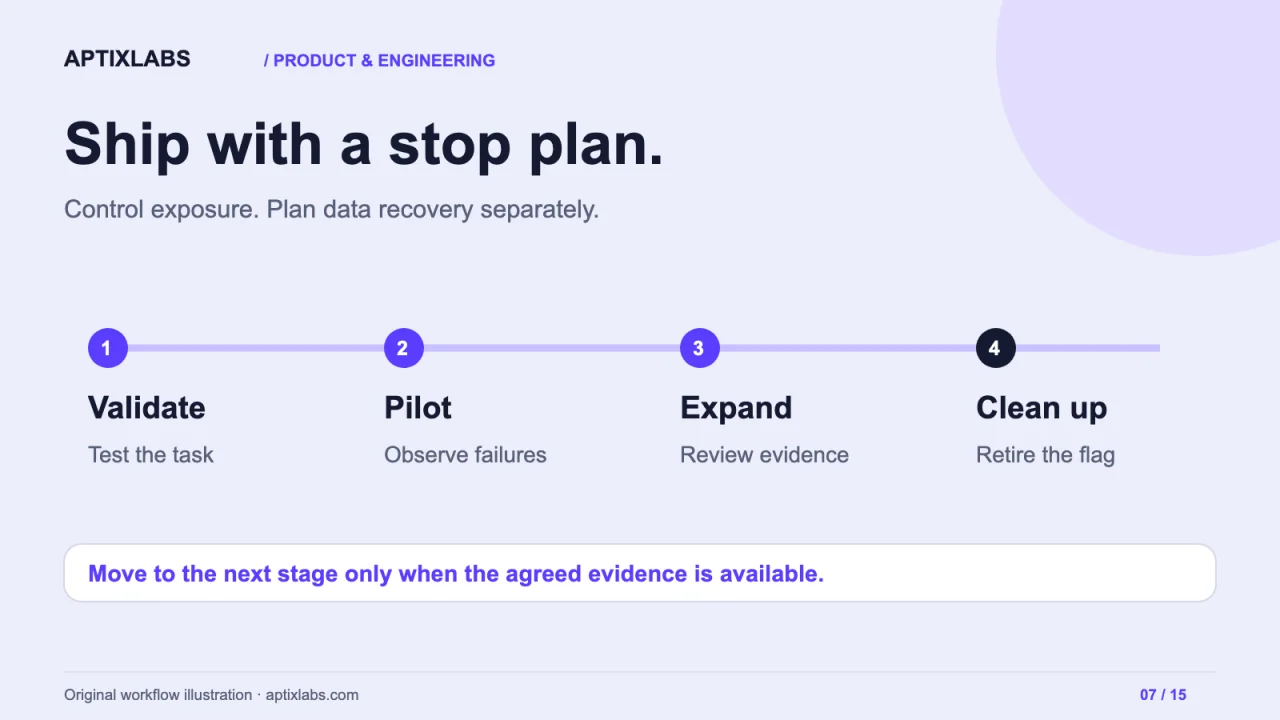
A feature flag can stop new use of a feature. It cannot automatically undo a database migration, recall an email or repair records already written incorrectly. A useful SaaS rollout plan separates exposure control from data recovery and makes both responsibilities explicit before the release.
Define the unit of exposure
In a B2B product, enabling a feature for one user while colleagues in the same organisation see the old workflow can be confusing. Decide whether the flag targets a user, workspace, account tier or device. Keep assignment stable for the task so the interface does not change halfway through a session.
Evaluate authorisation independently. A flag can control availability, but a client-visible flag is not an access-control boundary. The API must still verify whether the caller can perform the operation. Keep experimental features out of unauthorised responses even if a browser alters its local flag state.
Write a staged release plan
| Stage | Audience | Evidence required to continue |
|---|---|---|
| Internal validation | Test workspaces | Workflow and failure cases pass |
| Agreed pilot | Selected consenting customers | Support can explain and recover issues |
| Limited expansion | Stable additional workspaces | Task success and errors remain acceptable |
| General availability | Eligible customers | Operations owner accepts the release |
| Cleanup | Engineering team | Old path and temporary flag are removed safely |
Choose thresholds before looking at results. Use a task-level measure, such as successful completion of the changed workflow, alongside latency and error rates. Small cohorts produce noisy data; a lack of observed errors is not proof that rare failures cannot happen. Include qualitative support reports in the decision.
LaunchDarkly describes progressive and guarded rollout mechanisms. Such tools can help evaluate exposure and signals, but they do not choose the right business success measure or repair application data for you. Keep the release decision and recovery plan visible to the team.
Reference: LaunchDarkly's progressive delivery guide
Rehearse the stop path
Define who can disable the feature and how long the change takes to reach clients and workers. Test provider unavailability and the default flag value. A risky capability should not become enabled merely because its configuration cannot be fetched. Conversely, disabling a flag must not strand a user with an unfinished paid operation and no explanation.
Background jobs need the same consideration. Decide whether already queued work uses the configuration at submission or execution. Preserve the version when it affects interpretation, and define which in-flight actions can be cancelled safely.
Plan state changes separately
Suppose a new scheduling feature writes a different record format. Turning off its interface does not make that format readable by old code. Use a compatible transition, explicit migration checkpoints and a tested restoration or repair strategy. Review irreversible side effects separately: messages already sent and external payments cannot be rolled back by changing a boolean.
Related: deployment and release cadence
Give every temporary flag an owner
Record why the flag exists, who reviews it and what ends its life. After adoption, remove obsolete paths and tests that only support the retired behaviour. Unowned flags multiply combinations and make future incidents harder to understand.
AptixLabs can scope a release plan around a specific customer workflow, including exposure, observable success and recovery evidence. The useful output is a feature the team knows how to introduce and stop, with a separate answer for data it has already changed.
Can a feature flag roll back a database migration?
A flag can change which code path runs, but it does not automatically restore changed data or reverse external side effects. Plan schema compatibility and data recovery separately.
Should B2B SaaS flags target users or organisations?
Choose the unit that keeps the workflow coherent. Organisation-level exposure often suits shared workflows, while device or user targeting may suit other cases. Authorisation must remain independent of the flag.