
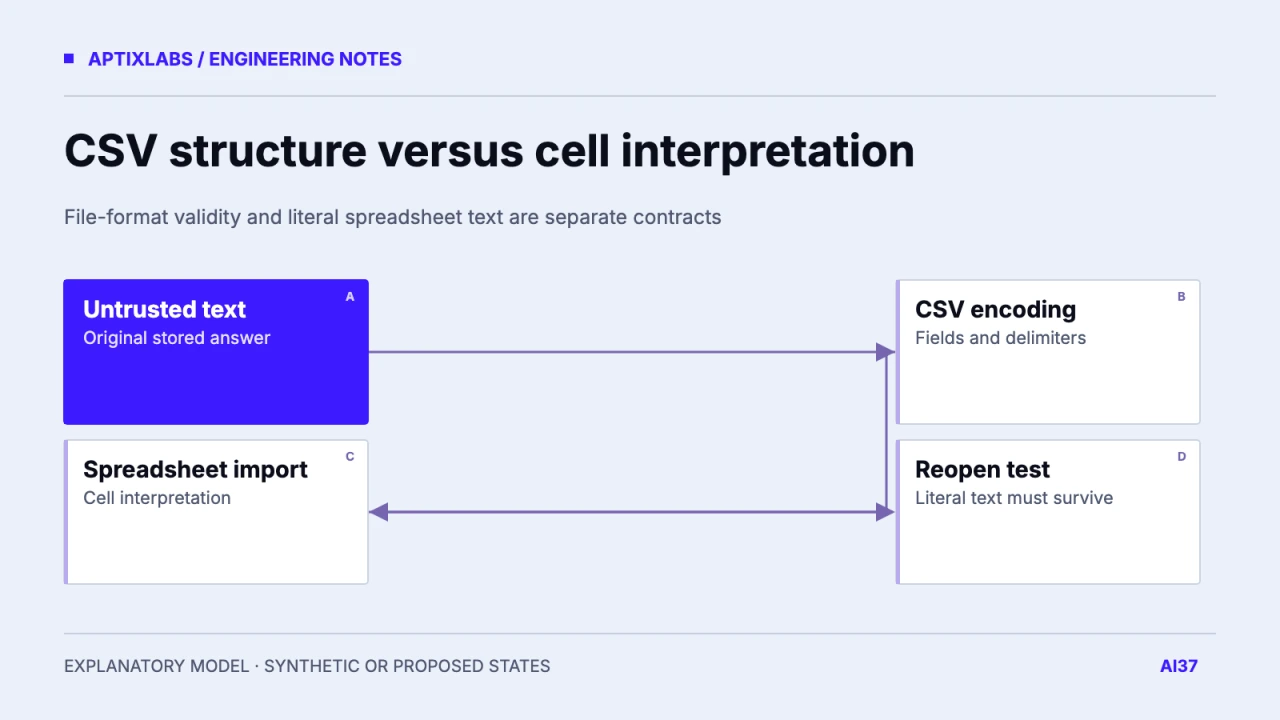
CSV quoting preserves delimiters and line breaks; it does not guarantee that a spreadsheet opens every cell as literal text. Treat untrusted export fields as a spreadsheet interpretation boundary, choose a documented text-preservation strategy and test the target applications. A file that round-trips correctly through a CSV parser can still be interpreted differently when a person opens it in Excel or another spreadsheet.
Separate format correctness from cell meaning
A questionnaire response can legitimately contain punctuation, a leading equals sign or a line break. CSV quoting keeps that value in one field, but spreadsheet import behavior may treat a formula-like prefix specially. Define whether the export is intended for machine ingestion, human spreadsheet viewing or both. One representation may not satisfy every consumer without a documented import mode or a separate format.
OWASP's CSV-injection testing guidance describes formula interpretation and the need to test target spreadsheet applications, including save-and-reopen behavior. Keep examples harmless: literal formula-like strings or simple arithmetic are sufficient to inspect interpretation. There is no need to include network, shell or data-exfiltration expressions in an export acceptance fixture.
OWASP: CSV formula interpretation and spreadsheet testing
Define an explicit export contract
For a synthetic survey export, classify IDs, timestamps, numeric values and free text before writing cells. An ID with leading zeros should remain text. A numeric column should contain validated numeric data, not arbitrary user strings. A free-text answer should remain literal even when its first character resembles a formula prefix. Keep the original stored answer unchanged; export representation is a separate transformation.
| Field fixture | Intended meaning | Observation to retain |
|---|---|---|
| =1+1 in free text | Literal answer | Cell type and displayed text |
| 000042 identifier | Text with zeros | Leading zeros preserved |
| Comma and newline | One logical field | Correct boundaries |
| Validated numeric quantity | Number | Numeric value unchanged |
Possible approaches include generating a workbook with explicit text cell types or using a documented CSV neutralization rule for the intended applications. Prefixing or transforming text can alter what downstream machine consumers receive, and some applications can reinterpret content after saving. Do not advertise one prefix as universally safe across every spreadsheet and import path. Record the interoperability cost and provide an alternate machine-oriented export when necessary.
Harmless synthetic fixture values
=1+1
+00123
@literal-name
comma,inside
line one [newline] line two
000042
The values are fixture inputs, not executed spreadsheet payloads. The expected result is visible literal text for designated text fields, with the intended row and column boundaries preserved. A numeric field has a different expected result. Test separators, embedded quotes and leading whitespace because the value's effective first character after parsing or normalization may differ from the raw string's first byte.
Test the actual opening journey
Use the target application's normal open/import workflow on a disposable workbook or CSV. Record application version, locale, delimiter selection and import options. Inspect cell type and displayed value, then save and reopen through the path real users follow. Compare the original logical text, exported representation and reopened value. A test that checks only Python csv.reader output does not exercise spreadsheet interpretation.
Also inspect error-file exports from an importer. Rejected source rows may contain the same untrusted text as the original file and can be opened by support staff. Protect that output under the same contract as the main export. Keep generated reports tenant-scoped and avoid including private records in fixture screenshots or debug files. Export safety includes both cell meaning and which account can retrieve the file.
Publish the compatibility boundary
No spreadsheet application test was executed for this article. The fixture set and worksheet are proposed, and no CSV export is claimed as a shipped product feature. Before release, retain the actual files and observations for the spreadsheet versions you support. If only one controlled machine consumer needs the data, a typed interchange format may avoid human spreadsheet ambiguity. If users need spreadsheet work, choose an explicit text contract and prove that contract through their real import and reopen journey.
SaaS data imports: turn the first CSV into a safe launch
Observability for small teams: start with the failed customer task
Bring one API or data workflow and a sanitized failure example for a bounded implementation assessment.
Why can a correctly quoted CSV still become spreadsheet formulas?
CSV parsing and spreadsheet cell interpretation are separate boundaries. Quoting protects field structure, while target applications may still interpret formula-like text.
Does CSV quoting neutralize every formula-like value?
No. It preserves CSV structure but does not define how a spreadsheet interprets the resulting cell.
Is a CSV parser round-trip enough to test spreadsheet safety?
No. Test the supported spreadsheet application, import settings and save/reopen journey.