
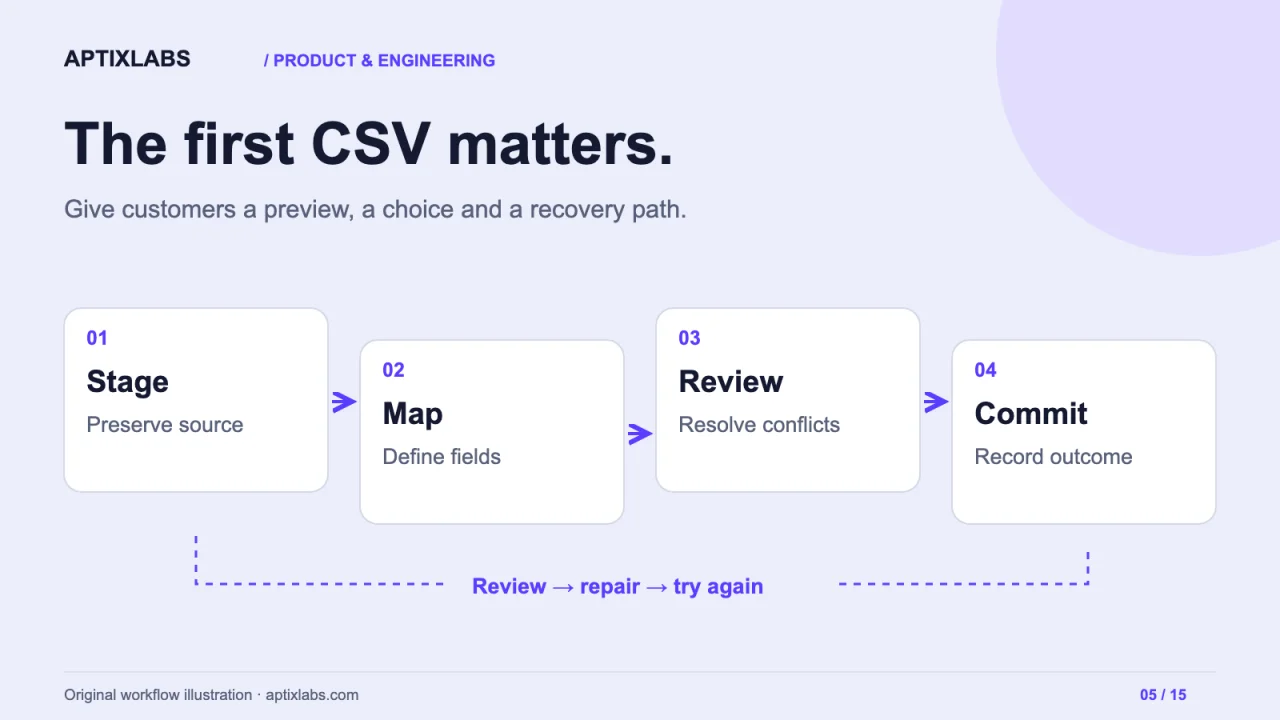
The first customer import is often the first time a SaaS product meets data it did not create. The CSV may contain duplicated contacts, local date formats, missing identifiers and columns named for the customer's old system. Treat importing as a product workflow with review and recovery, rather than a file-upload button followed by a success message.
Preserve the source before transforming it
Assign the import a job identifier and keep the original file under an explicit retention policy. Record the selected workspace, mapping version and authorised user. Parse the file into staging records before changing live data. This lets you explain which source row produced a change and rerun validation without guessing what was uploaded.
Decide which file sizes, encodings and formats the first release supports. Bound resource use and validate content server-side even when the interface offers an early preview. If rejected rows are exported to a spreadsheet, neutralise formula-like values so untrusted input does not become executable spreadsheet content.
Make mapping understandable
Show sample values beside each source column and target field. Explain required fields, expected formats and relationship lookups. Flatfile's mapping guidance separates assigning columns from reviewing data; that distinction is useful even when you build your own importer. A correctly mapped column can still contain invalid rows.
Reference: Flatfile's data-mapping guidance
| Source condition | Proposed outcome | Review action |
|---|---|---|
| New external customer ID | Create a new record | Confirm required fields |
| Existing external customer ID | Update allowed fields | Show before and after values |
| Duplicate ID inside the file | Hold conflicting rows | Choose one source record |
| Unknown organisation reference | Reject the relationship | Correct mapping or source data |
| Ambiguous date | Do not guess | Require an explicit date convention |
Choose the commit policy deliberately
An all-or-nothing import is easier to reason about for tightly related records. A partial import can help with large independent datasets, but it must clearly report which rows were committed and which were not. Do not describe a partially successful job as simply “complete.” Show counts and allow the user to download actionable errors without exposing another customer's records.
For updates, use stable source identifiers and a declared conflict rule. A repeated upload should not create a second customer just because the display name changed. Decide whether an empty cell means “leave unchanged” or “clear this value”; that small choice can erase useful data when left implicit.
Recovery is part of onboarding
Suppose a network interruption happens after some rows commit. The worker should resume from durable job state, or safely recognise already applied operations. A browser retry must not start an unrelated duplicate import. Keep cancellation semantics honest: stopping future work does not necessarily reverse completed changes.
Test a dry run, a duplicate submission, a crash during processing and an unauthorised attempt to download the error file. For related records, test parent-child ordering and missing parents. Show the user how to correct only rejected rows, preserving provenance across the second attempt.
Related: onboarding around the first useful task
Scope a migration around real sample data
AptixLabs can help define an import contract, preview interface and recovery plan as part of a SaaS build. Bring a redacted export and identify which fields must survive unchanged. In coaching products, assigned plans, client identity and access relationships matter as much as contact details. A small representative migration should prove that context survives before a full customer rollout.
Should a CSV import reject the entire file when one row fails?
It depends on record relationships and the agreed commit policy. All-or-nothing and partial imports can both work, provided users can see exactly what changed and recover rejected records safely.
How do repeated imports avoid creating duplicates?
Use stable source identifiers, explicit create-versus-update rules and durable job state. Define conflicts and empty-cell behaviour before applying changes to live records.