
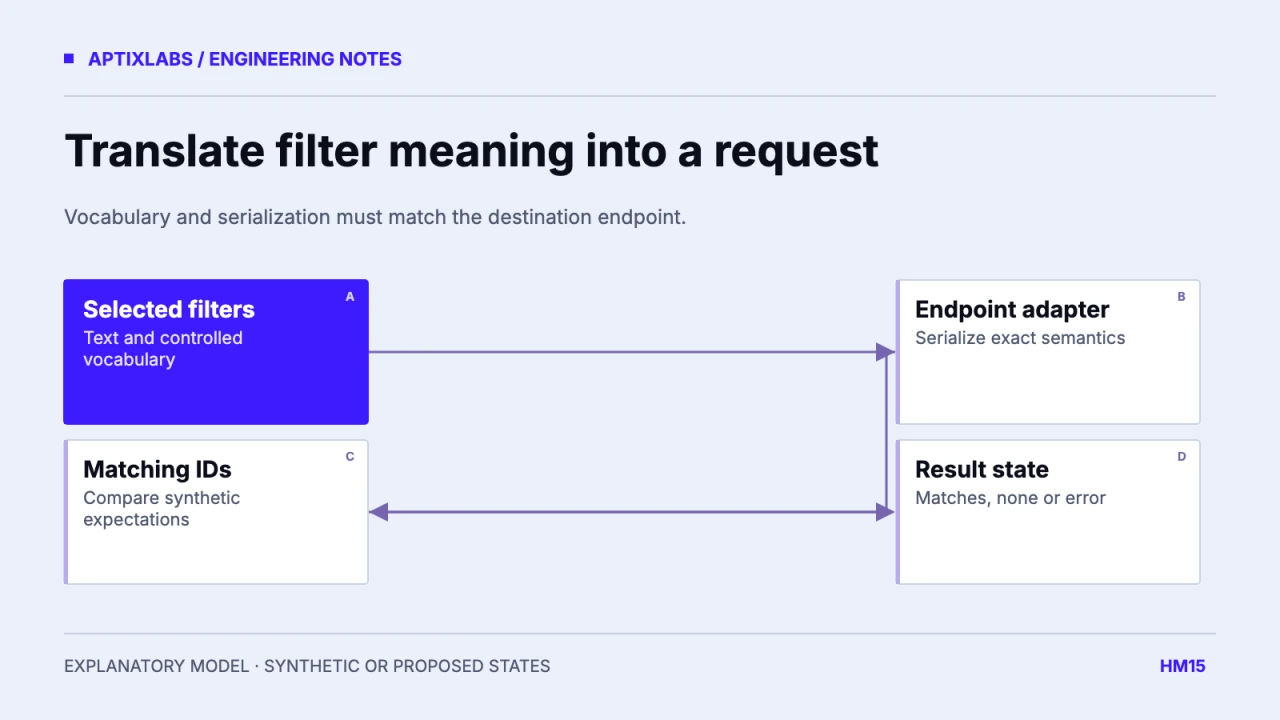
Exercise search needs a shared contract for names, filter vocabulary and combination rules. Define whether multiple muscles mean any match or every match, how equipment availability is interpreted and how unsupported filters fail. Then serialize those decisions for the exact API being called. A filter chip is a promise about results.
Begin with a small fictional catalog and expected IDs, not a polished search screen. Include exercises with several required pieces of equipment, primary and secondary muscles and at least one record that should be excluded. This lets product and API teams compare meaning independently of ranking or visual design.
Define text search separately from structured filters
Text may search display names, aliases or stable IDs. Structured filters should use a controlled vocabulary with explicit mapping from user-facing labels. A label such as “back” may cover several provider tokens; record that mapping instead of sending the translated label as an enum. Preserve stable identity when a display name changes.
| Record | Required equipment | Expected for available dumbbells |
|---|---|---|
| A: fictional dumbbell row | Dumbbells and bench | Exclude if no bench |
| B: fictional floor press | Dumbbells | Include |
| C: fictional bodyweight movement | None | Include if other filters match |
| D: fictional cable movement | Cable machine | Exclude |
These are invented taxonomy records, not recommendations about exercise suitability. Equipment available usually asks whether all requirements can be met. Equipment associated with a movement can ask a different question. Decide which one the interface exposes, and ensure the server applies the same interpretation.
Serialize according to the endpoint
The reviewed UltraFit360 helper appends repeated target_muscles and movement_type parameters, lowercases a modality and adds a limit. ExerciseAPI’s current documentation uses its own vocabulary and comma-separated values within a filter, with distinct filters combined using AND. These are different contracts. An adapter must translate deliberately rather than assuming similar labels mean compatible requests.
ExerciseAPI: filter vocabulary and combination semantics
Internal request: muscles = ["synthetic-a", "synthetic-b"]
Endpoint A: target_muscles=synthetic-a&target_muscles=synthetic-b
Endpoint B: muscle=provider-a,provider-b
Required: explicit vocabulary mapping and any-of semantics
The parameter examples are illustrative. Verify the destination endpoint’s exact accepted values, limits and error response. A provider change should not silently turn any-of selection into a string search for a comma-containing label. Unknown enums should produce a useful error or documented fallback, not an unexplained empty list.
Make result and empty states diagnostically useful
Distinguish no matching records from failed loading and unsupported filters. Preserve the user’s selected filters when the request fails, and offer a clear reset when the intersection is empty. Show which request is pending so a slow response for an older search cannot replace the current query.
Use stable result ordering with pagination, and include filters in cache identity. A cache key containing only q can return results from a different equipment selection. Normalize ordering of equivalent selected values where appropriate so logically identical filter sets do not create unnecessary duplicate cache entries.
Verify the contract before capturing a demo
Acceptance should assert expected result IDs for repeated values, all-required equipment, text plus filters, unknown values, zero results and the endpoint’s maximum limit. Repeat with a renamed label and a stale response arriving late. Testing only the presence of two chips does not test search semantics.
No exact fictional local search UI was verified for this guide, so the researched screenshot is replaced with a filter-to-result diagram. No provider API was queried for the synthetic worksheet. A release-ready demo should use the actual supported endpoint and fictional records, with the request and expected IDs retained as evidence.
Taxonomy changes need version awareness. If a catalog adds a new equipment token or retires an alias, an older mobile client may still send its previous vocabulary. Choose a compatibility response and retain unknown-filter diagnostics with fictional requests. Do not silently interpret an unsupported token as no equipment required. A small versioned mapping file and expected-ID fixtures can make a catalog update reviewable without embedding provider-specific terms throughout every screen and cached search result.
Workout exercise substitution app
Bring one client-to-coach workflow, current data contract and acceptance constraint to discuss a bounded fitness product build or integration pilot.
Explore health fitness app development
How can exercise filters stay consistent between mobile and an API?
Define filter vocabulary and combination rules, then serialize them for the exact endpoint. Repeated parameters and comma-separated values are not interchangeable contracts.
Can comma-separated and repeated query parameters be treated as equivalent?
Only if the destination API explicitly defines them as equivalent. Verify serialization and combination semantics for each endpoint.