
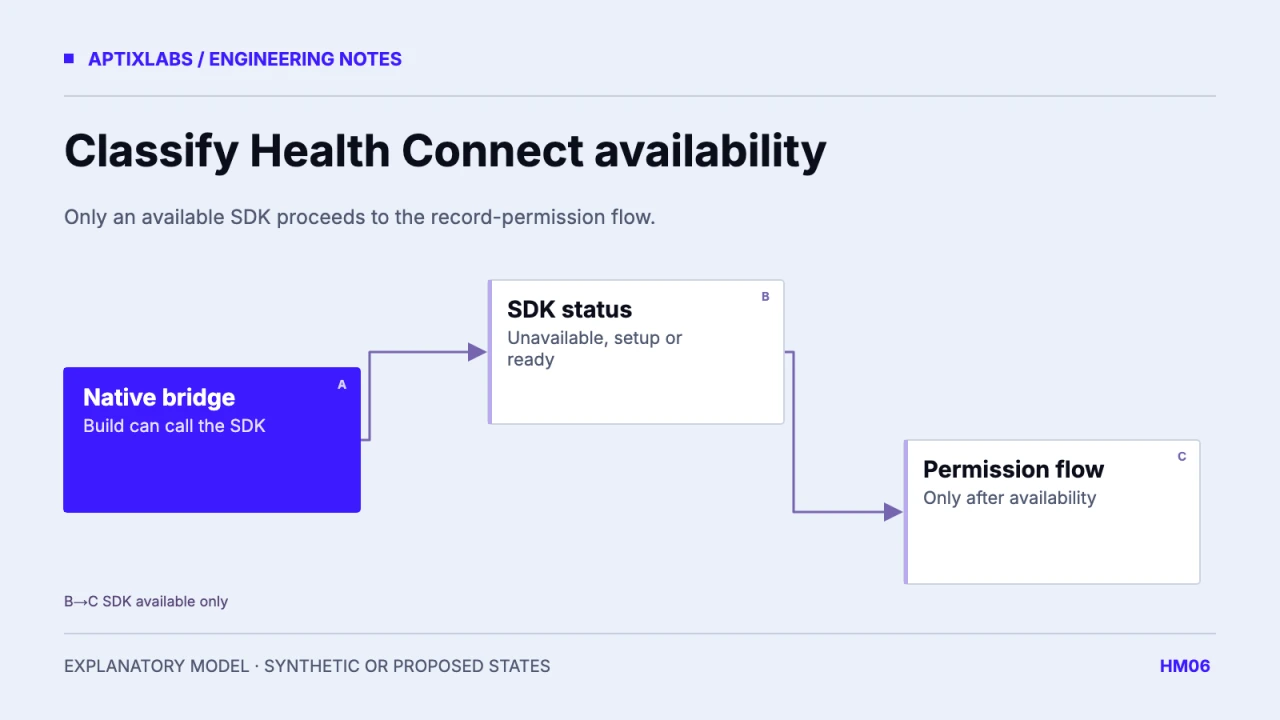
An unavailable Health Connect SDK needs a classified state, not a universal “update the app” instruction. Separate unsupported or currently unavailable SDK access, a provider that needs installation or updating, and an available SDK. Then keep missing native modules and permission outcomes outside that status enum.
Prerequisites are the installed bridge version, native build identity and the device’s Android and provider versions. A JavaScript package appearing in package.json does not establish that the native module is present in the installed binary. Make the support matrix part of release acceptance rather than relying on a simulator screen.
Map status values through named states
The current Android HealthConnectClient reference distinguishes SDK_AVAILABLE, SDK_UNAVAILABLE and SDK_UNAVAILABLE_PROVIDER_UPDATE_REQUIRED. The update-required state includes a provider that is absent as well as one needing an update. The unavailable state can reflect an Android version below requirements. Recheck availability after a user returns from an installation or settings flow.
Android: HealthConnectClient availability contract
| Observed boundary | Application state | Useful next action |
|---|---|---|
| SDK available | Ready for permission flow | Check required record access |
| Provider install/update required | Setup required | Offer supported provider route |
| SDK unavailable | Integration unavailable | Keep unrelated features usable |
| Native module missing | Build integration error | Diagnose installed native build |
The table is a proposed acceptance map, not an executed device result. Use named constants exposed by the actual bridge, or normalize its documented numeric values once. Avoid scattering unexplained 1, 2 and 3 comparisons through screens. A future wrapper change should require one adapter review instead of many UI edits.
Do not ask the user to repair a build problem
A module import failure, missing native method or incompatible development client occurs before the SDK can return an availability result. Report that separately in redacted diagnostics and provide a neutral fallback in the interface. Asking the user to install Health Connect cannot add missing native code to your application.
In the reviewed UltraFit360 service, getSdkStatus is checked before continuing, with different messages for statuses 1 and 2. That establishes a source-level decision path. It does not establish that every handset, native build or provider upgrade follows the intended path. Confirm the wrapper’s mapping against the Android constants in the shipped dependency version.
Keep availability and authorization independent
SDK available means that the API can be used; it does not mean the required records were granted or any measurements exist. Continue through the permission flow and preserve partial access. If one metric cannot be read, explain the affected feature without blocking unrelated logging or coaching functions.
On return from system settings, refresh the observed state rather than showing a permanent success banner based on an earlier tap. Guard against duplicate requests when two lifecycle events arrive. Keep the pending setup action scoped to the active account, while recognizing that provider installation is a device-level condition.
Build a device acceptance matrix
Test a supported native build with an available provider, a provider setup state where the platform permits one, an unsupported combination and a deliberately missing-module development fixture. Record expected navigation, visible copy and the actual native result. A fake status toggle is useful for layout review but must be labelled as a UI fixture.
No verified local fictional demo screen was available for this guide, so its researched screenshot becomes an explanatory state diagram. Do not generate a settings screen and present it as device evidence. Before release, retain real device results with build and dependency versions, and verify that dismissing setup leaves the rest of the app usable.
Availability should be rechecked at the boundary where the feature is used, with sensible caching rather than a permanent onboarding decision. A test can begin unavailable, move through provider setup and return ready. Verify that the old error disappears only after the new status is observed. Also cancel obsolete loading state if the person leaves setup. A successful navigation to an installer is evidence of a navigation action, not evidence that installation or authorization completed.
Health connect integration fitness apps
Bring the supported devices, installed SDK versions and a reproducible lifecycle or UI failure to scope a mobile engineering assessment.
Explore react native development
Does an unavailable Health Connect SDK always mean the provider needs an update?
No. Distinguish SDK unavailable, provider installation or update required, and SDK available. A missing native module is a separate build failure.
Does SDK available mean health permission is granted?
No. Availability, record permission and measurement availability are separate checks.