
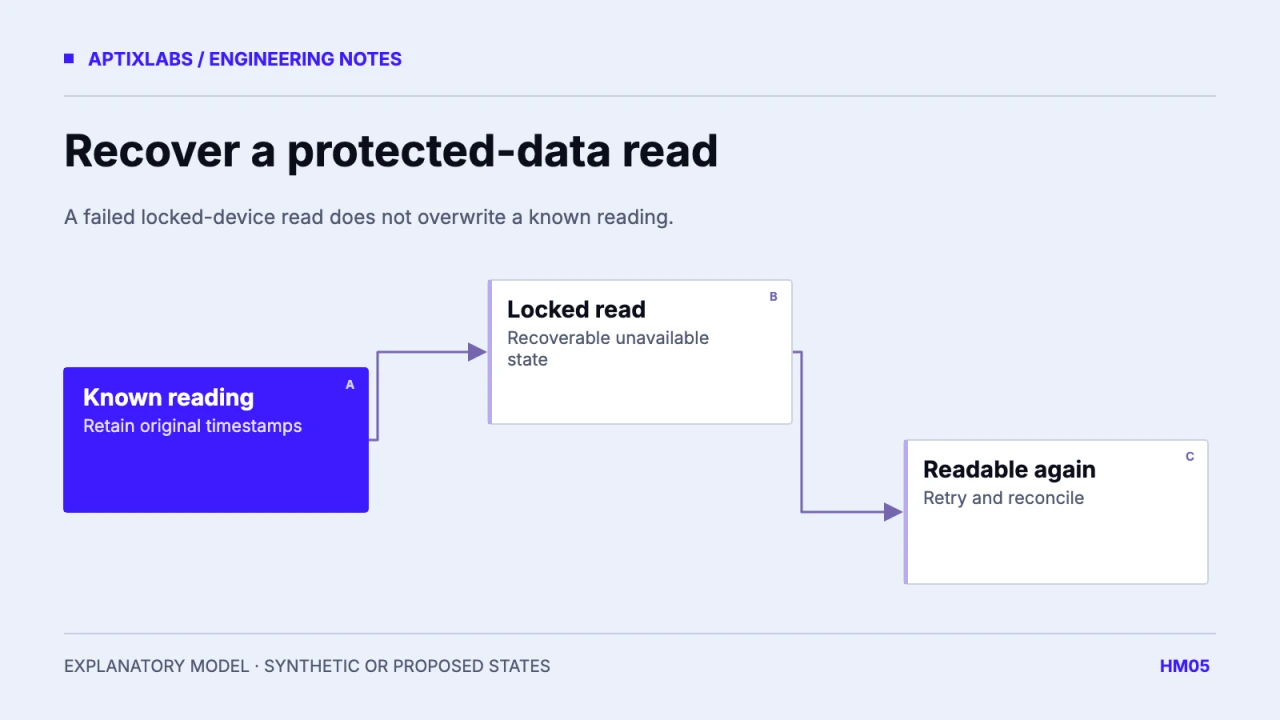
When HealthKit reports protected data inaccessible while a device is locked, treat the read as temporarily unavailable. Keep a previous valid value with its measurement and synchronization timestamps, and schedule a bounded retry when the application can read again. A failed read is not evidence of zero activity, a deleted sample or a permission change.
The integration needs an error classifier at the native boundary and a UI state that can represent retained history without calling it fresh. Start with one metric and a test account. Do not attempt to diagnose this state by repeatedly asking the user for the same permission.
Recognize the protected-data error
Apple defines errorDatabaseInaccessible as HealthKit data being unavailable because it is protected and the device is locked. Classify that documented error separately from an unsupported quantity, a malformed request and a network upload failure. Use the installed bridge’s actual error mapping; string matching a localized message is a fragile replacement for a stable code.
Apple: HealthKit errorDatabaseInaccessible
The app can read locally and then fail remotely, or fail locally before any upload is possible. Those situations need different recovery work. Store which phase failed and the requested interval. A single “Health disconnected” banner cannot explain whether the user needs to act or the application simply needs another opportunity to read.
Retain history without implying freshness
| Prior state | New outcome | Proposed visible state |
|---|---|---|
| Valid prior value | Protected read unavailable | Last reading, refresh pending |
| No prior value | Protected read unavailable | Reading unavailable |
| Prior value | Successful new read | Current value and timestamps |
| Prior value | Confirmed source deletion | Reconciled removal under deletion policy |
This worksheet is illustrative and has not been run on a locked device. Its key property is that a query exception never goes through a replace-with-empty success path. Keep last-successful-read and last-attempted-read separately. Otherwise a recent failed attempt can make stale data look newly synchronized.
Derived views need the same distinction. A recovery estimate using yesterday’s retained inputs should not appear recalculated from a fresh read merely because the dashboard was reopened. Apply the metric’s freshness rule and disclose partial availability where it affects interpretation. Avoid explaining an unavailable input with a fabricated physiological narrative.
Retry on a supported opportunity
A foreground return can provide a useful reconciliation opportunity, but it is not proof that every required API is readable. Attempt the read, inspect the result and update state only on success. Bound retries and coalesce repeated lifecycle events. Do not keep the device awake or start a high-frequency polling loop to overcome normal protected-data behavior.
Preserve account ownership on pending work. If the user signs out before recovery, invalidate or retain the old task under its original identity according to the product’s rules. A queued retry must never reuse whichever account happens to be active later. Keep backend upload state independent so a successful local retry does not hide an upload failure.
Write a device test that can disprove the design
The reviewed UltraFit360 range lists read permissions; it does not prove protected-data recovery. No lock/unlock device test was executed for this article. A release acceptance test should record the actual device, OS, build, bridge version and error code, then lock during the relevant read and observe the recovery path after unlock.
Inspect the persisted value before and after the failure, the visible freshness label and the next successful summary. Repeat with no prior reading and with a later source correction. Capture only synthetic records and redacted state transitions. The useful deliverable is a reproducible recovery trace with explicit unknowns, not a screenshot suggesting that a simulator reproduced protected-data behavior.
Preserve error state until a meaningful event resolves it. Reopening a screen should not clear the unavailable label before a new read finishes. Equally, a successful read for steps should not clear an unresolved error for another metric. Scope status to the request and metric, with a separately derived connection summary if the interface needs one. This keeps recovery copy accurate when some reads succeed and others remain unavailable during the same synchronization attempt.
Bring the specific record types, device/OS targets and one failing or proposed data journey to scope a wearable integration review.
How should an app handle HealthKit data that is inaccessible while the device is locked?
Retain the last known reading with its timestamp, mark the new read unavailable and retry when access is possible. Do not overwrite it with zero.
Should the app request permission again after this error?
The locked-data error does not itself establish a permission problem. Retry access appropriately and keep permission checks separate.