
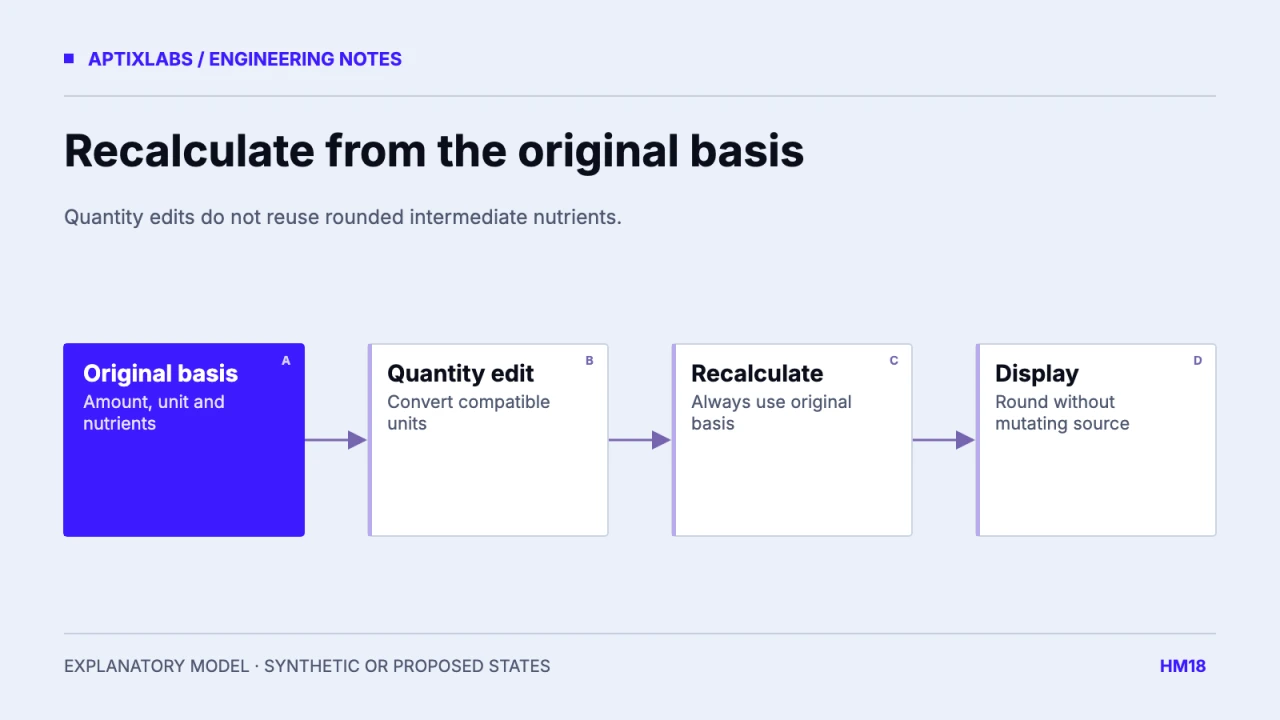
Recalculate a food portion from an original nutrient basis rather than scaling the last rounded display value. Keep the original amount, unit and nutrient values immutable while the user edits the consumed quantity. Round for presentation at the edge of the workflow, not after every intermediate operation.
Begin with a known relationship between the original basis and the requested quantity. A serving, gram, milliliter and household measure are not interchangeable units. Preserve the source basis even when the interface displays a friendlier measure. This is numerical data handling, not dietary advice.
A serving edit should not become the next source record
The reviewed UltraFit360 quantity handler scales the current item by newQuantity divided by its current quantity, rounding calories and several macros immediately. This is understandable for a display update but can lose information if the rounded result becomes the next calculation input. A separate original-basis object avoids that feedback path.
| Quantity | Scale rounded intermediate | Calculate from original |
|---|---|---|
| Original: 1 serving | 7.4 g protein | 7.4 g protein |
| Change to 1.5 servings | 11 g | 11.1 g |
| Return to 1 serving | 7 g | 7.4 g |
The fixture mirrors the relevant scaling arithmetic with synthetic values and compares it with an immutable baseline. It produced 7 g after returning to one serving through rounded intermediates, while the original-basis result remained 7.4 g. It did not mount the app screen or call a nutrition API.
Keep measurement basis explicit
USDA’s Foundation Foods documentation describes nutrient values and portion weights with their data context. Use that documentation to understand the selected source record’s basis rather than treating every household label as a universal conversion. A “cup” of one ingredient does not establish the mass of another.
USDA: Foundation Foods documentation and portion context
basis = { amount: 100, unit: "g", energyKcal: 240 }
consumed = { amount: 37.5, unit: "g" }
energyKcal = basis.energyKcal * consumed.amount / basis.amount
// 90 kcal; formatting does not mutate basis
This second calculation is illustrative. When the basis is per serving, retain the serving’s known mass if a gram conversion is supported. If it is unknown, ask for a compatible quantity or keep the serving unit. Do not invent density to make a volume-to-mass operation succeed.
Validate quantity before calculating
An empty editable field should remain editable text until commit. Reject negative, nonfinite and unsupported quantities, and decide whether zero means a deliberate zero portion or deletion. Avoid dividing by a fallback of one when an invalid source amount should produce a validation error. Otherwise a malformed basis can yield plausible but meaningless output.
Unknown nutrients should remain unknown after scaling. Do not multiply null through generic number coercion and turn it into zero. Apply the same quantity conversion to every known nutrient and preserve coverage, so the item panel and daily summary do not use different arithmetic.
Round once and verify a real edit sequence
Choose display precision by field and product context. Store enough precision to reproduce the calculation without implying that a catalog estimate is a laboratory measurement. Floating-point artifacts such as 11.100000000000001 can be formatted as 11.1; they should not justify prematurely rounding every internal result to an integer.
Acceptance should include one-to-one-point-five-to-one, repeated unit toggles, a corrected source basis, an unknown nutrient and an invalid zero basis. Reopen the saved log and compare it to the preview. When the source record changes, decide whether to retain the historical basis or apply an explicit correction rather than silently recalculating all past meals.
Separate source precision from display precision in the saved schema. If an imported nutrient is already rounded by the provider, retaining more calculation digits does not recover missing measurement precision. The original-basis strategy prevents additional editing drift; it does not make the source more accurate. Keep that distinction in preview copy and exports. A useful review compares both the exact internal calculation and the intended formatted result, so removing a floating-point artifact does not accidentally alter the underlying basis.
Explore UltraFit360 on the App Store
Explore UltraFit360 on Google Play
Bring one client-to-coach workflow, current data contract and acceptance constraint to discuss a bounded fitness product build or integration pilot.
Explore health fitness app development
How can repeated serving-size edits avoid rounding drift?
Retain an original nutrient basis, recalculate from that basis after each quantity edit and round only the displayed value.
Can household measures always be converted into grams?
No. A compatible source-specific mass relationship is required; do not assume volume equals mass.